
The Content Manager Overview tab displays key file/folder details like name, size, location, and more. Users with permissions can quickly reference and edit these metadata fields. See Permissions and Project Settings Permissions Tab for more details.
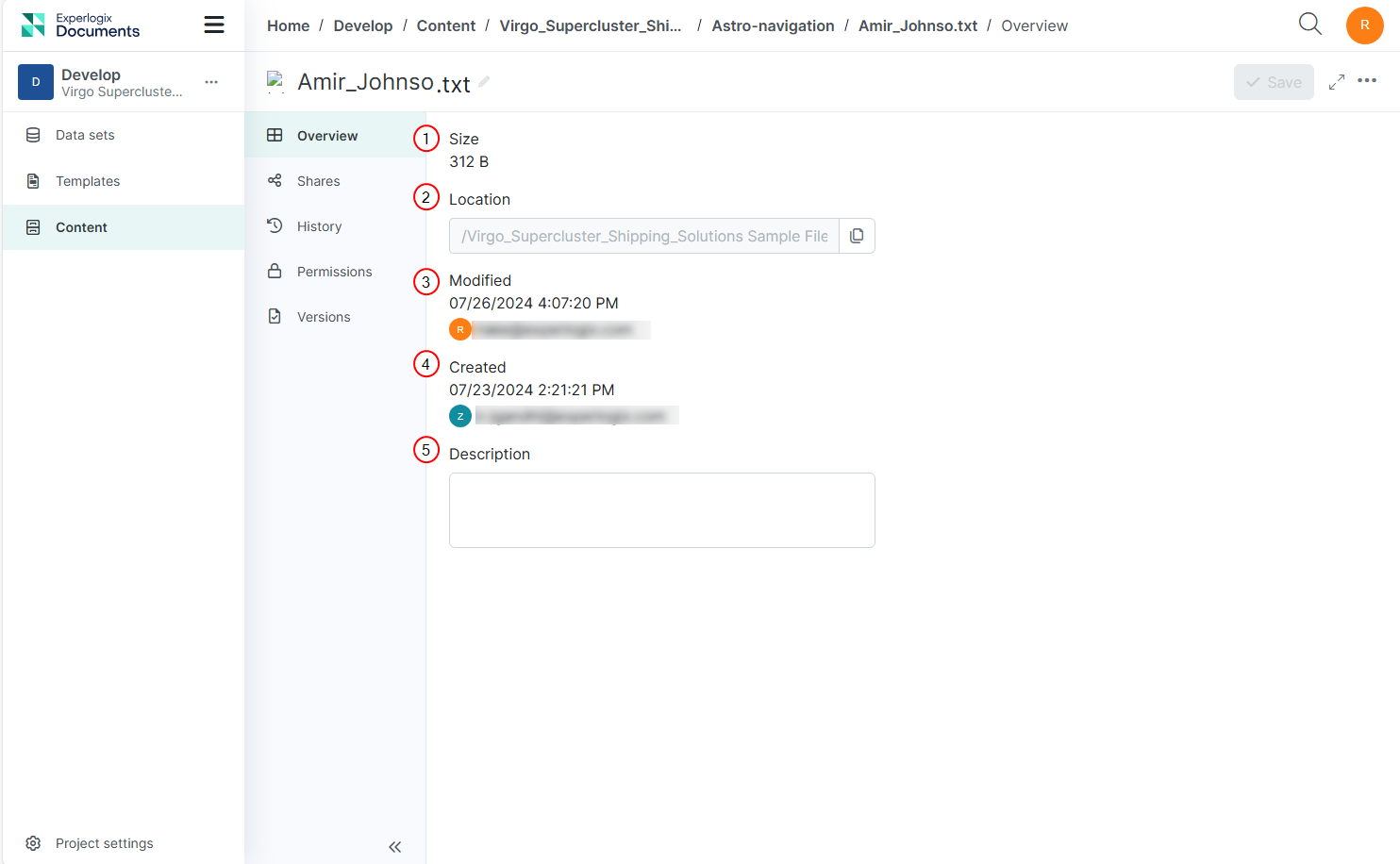
Details Page Overview Tab Fields:
|
Index No. |
Field Name |
Purpose |
|---|---|---|
|
1 |
Size |
The total amount of space the file or folder occupies. |
|
2 |
Location |
The path where the file or folder is stored. You can copy this location. |
|
3 |
Modified |
The date and time when the file or folder was last modified, along with details of who made the modifications. |
|
4 |
Created |
The date and time when the file or folder was created, along with details of who created it. |
|
5 |
Description |
A summary or explanation of the file or folder. You can add or edit this description in the Overview tab. |