
Content Manager exists within each project in the organization. Content Manager is a repository of documents located in the organization layer. A version is a screenshot of a document at a given time.
View Versions of a File
This section demonstrates how to view specific files, and how to see how many versions a particular file has.
-
To view the versions of a particular file, from the Content Manager page, select it, and select its corresponding ellipsis button.
-
From the ellipsis menu, select Details.
-
From the middle menu, select Versions.
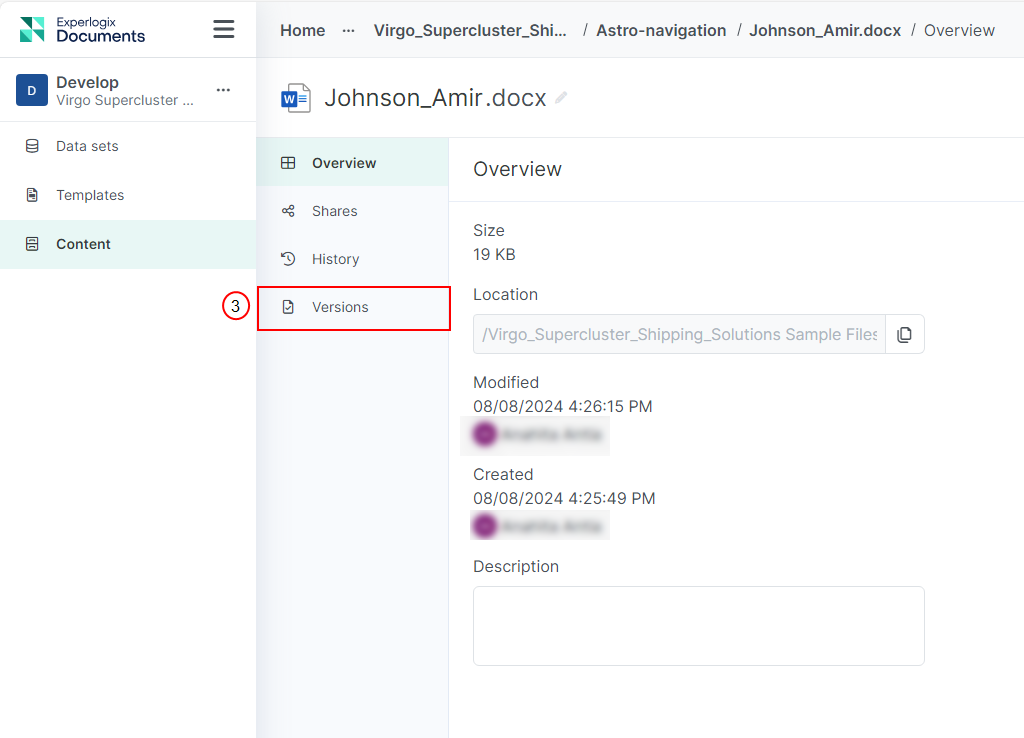
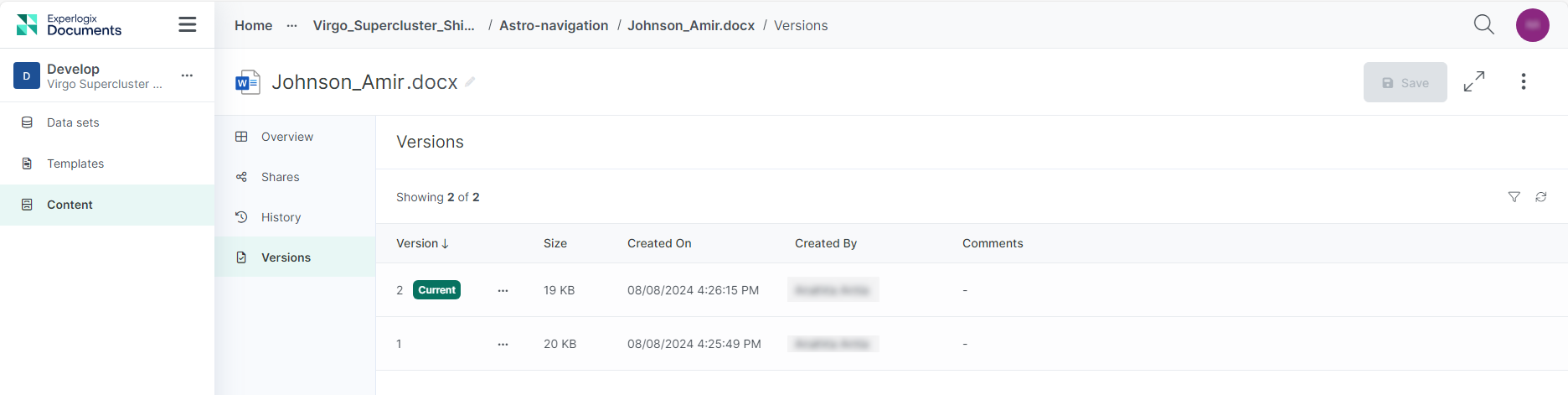
You will see all the document versions, with the latest version at the top of the list. Whenever you edit or change your document, a new version is automatically created.
Add comment to a version
You can add a comment to a version. By using the optional comments you can provide context for each data set version.
-
For the version that you want to add a comment to, select the corresponding ellipsis button.
-
From the ellipsis menu, select edit comment.
-
Enter a comment in the Comment field.
-
Select Save.
Restore a File to a Previous Version
You can restore a file to its previous version, or any of its previous versions.
-
For the version you want to restore the file to, select its corresponding ellipsis button.
-
From the ellipsis menu, select Restore.
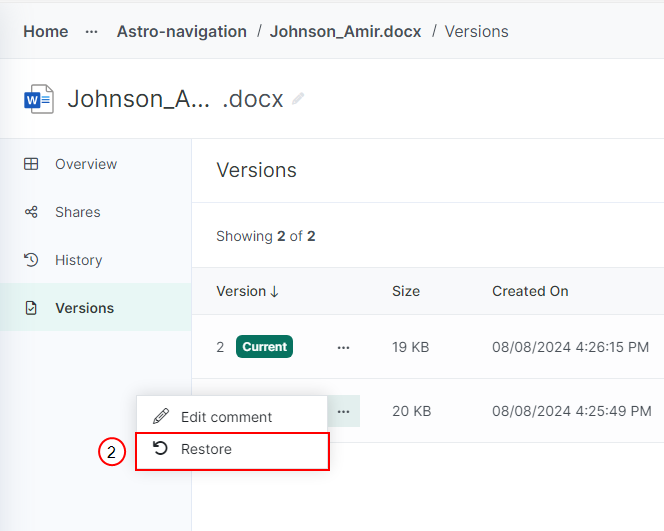
At the top of the list, a new version is created that is an exact copy of the version you rolled back to.