
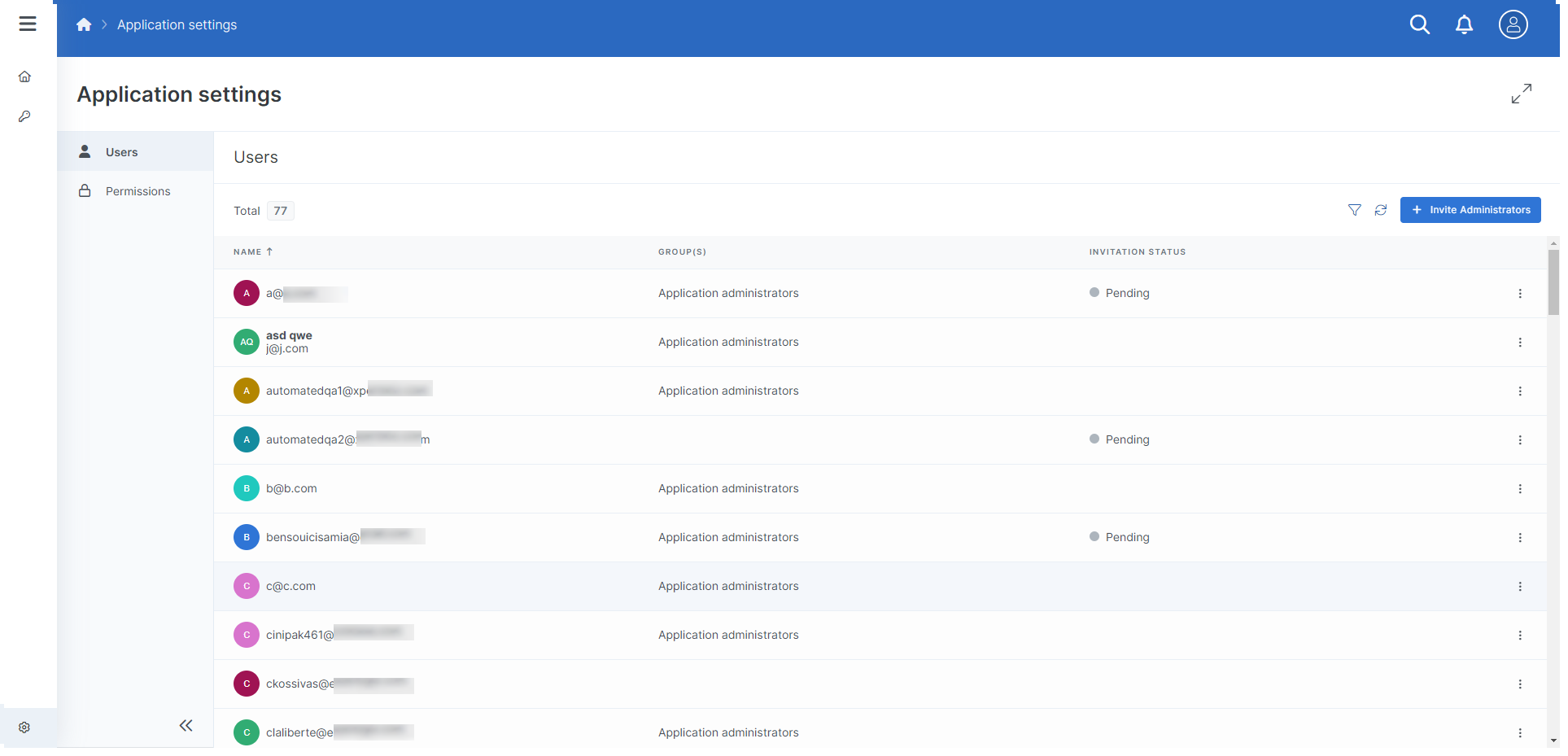
The Application Settings Users Tab allows users with sufficient permissions to invite Administrators to the application.
Inviting Administrators to an Application
Users with sufficient permissions can invite users to the Application as Application Administrators.
At the Application level, you can only invite users as Application Administrators.
-
In the Application Settings Users Tab, select the + Invite Administrators button.
The Invite Administrators window displays.
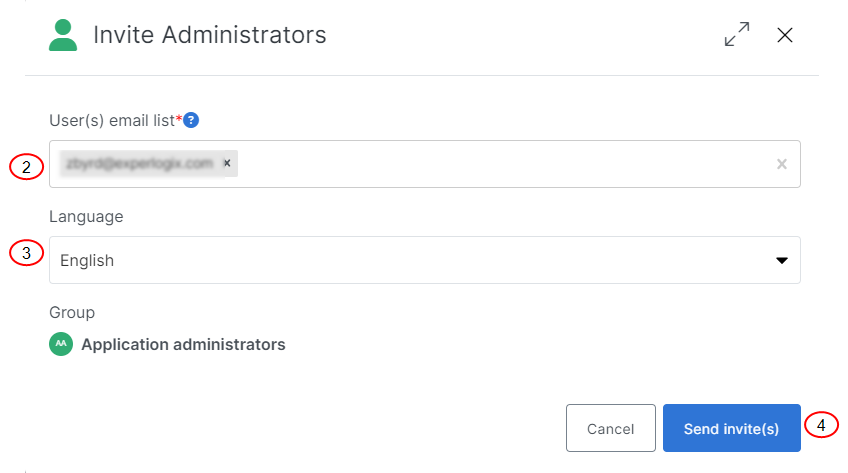
When adding user e-mails, separate addresses using commas, semicolons, and spaces. The User(s) e-mail list field supports both typed and pasted responses. Use the Enter or Tab key to add additional e-mails to your list.
-
In the User(s) email list field, enter the e-mails for the user(s) you wish to invite.
-
In the Language drop-down menu, select a language for the user.
-
Select the Send invite(s) button.
The confirmation message "Users invitations have been sent" displays. The invited user's Invitation Status displays in the Users List view as pending.
The invited users receive an email containing a link to register.